

AI Workflow, Interactivity, Case Study, Projection Mapping
How we got Hangar K to play along
October 30, 2026
How we got Hangar K to play along
During the FTI Festival, the front of Hangar K in Kortrijk turns into a 90-metre playground after dark. Walk past and the building reacts to you. The installation is the first company case in SAIAR's VLAIO TETRA research project, made by researchers from Howest together with projection mapping studio Urban Mapping.
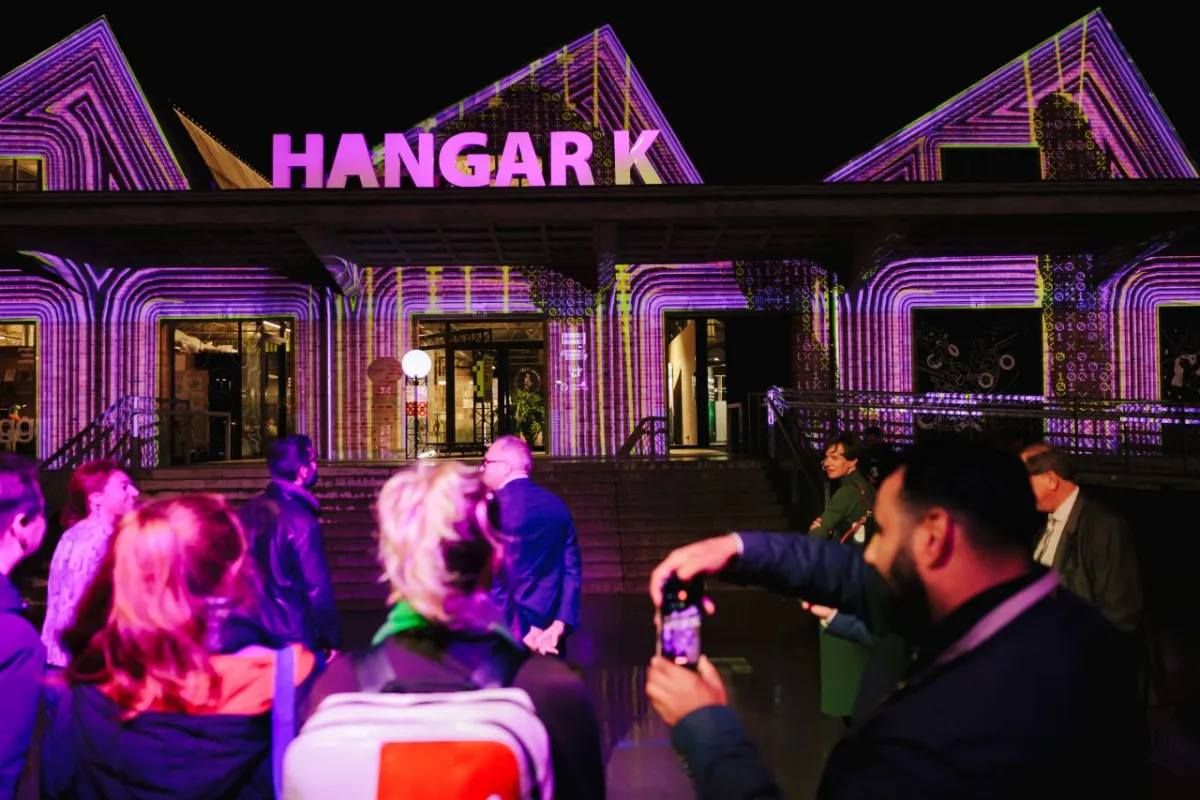
Stand in front of Hangar K on an autumn evening and within a second or two a glowing outline of you appears on the bricks. Raise an arm and it raises an arm. Walk to the left and something on the building moves along with you. Until 8 November you can try it yourself, every evening from 6 pm until midnight. It's free, and there's nothing to download or sign up for.
What you'll see on the building
The projection cycles through six scenes, and each one gives you a different part to play.
In Computer vision your outline is drawn in letters and symbols. Every move sends sonar pulses rolling out across the facade, lighting up the edges of the building, and you hear them ping through the speakers as well.
Digital twin lets you look through the wall. Wherever you stand, the brickwork opens up and shows a wireframe model of the inside of the building.
Music technology hangs harp strings down the front of the hall. Brush past one and it plays a note, so a group of friends walking by becomes a small (and slightly chaotic) orchestra.
In Data stream a river of pixels flows from one end of the building to the other and swerves around anyone who gets in its way.
Pac-Man needs little explanation. The maze follows the roofline and windows of Hangar K, and one of the Pac-Men is yours to steer.
Dancehall puts a nightclub inside the building. Your outline stays out front while behind the windows lasers sweep around, following the people outside.
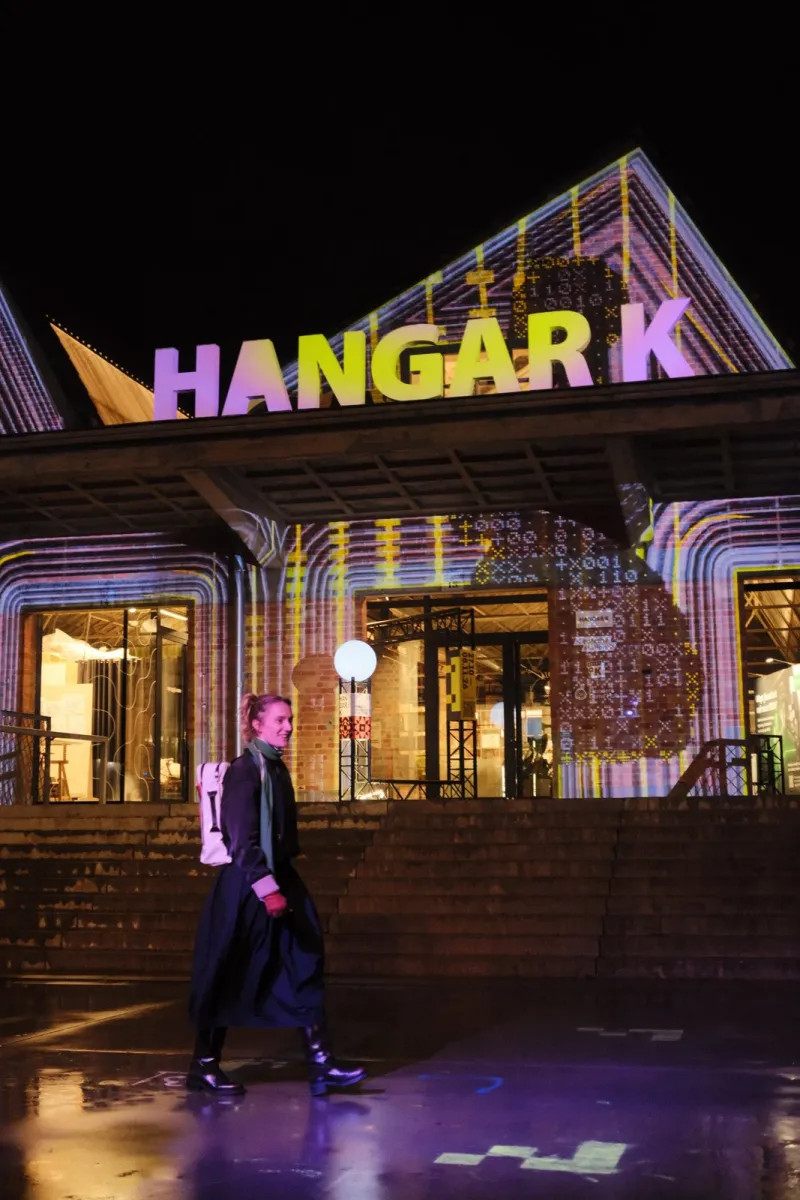
We never treated the building as a flat screen. Hangar K has a sawtooth roof and rows of tall windows, and every scene makes use of them: the harp strings hang from the roof, the Pac-Man maze runs over the gables, the data stream follows the window frames. There's also one colour rule that holds throughout. Whatever is lime green, that's you.
Who made it and why we worked together
SAIAR, the Spatial AI-Augmented Reality Lab, is a research lab within Devine, the Digital Design & Development programme at Howest. We look at how projection mapping, sensors and generative AI can be used for interactive experiences, and how companies and cultural organisations can put that to work without losing the human touch.
The Hangar K projection is the first case in SAIAR's TETRA project, funded by VLAIO, the Flemish agency for innovation and entrepreneurship. VLAIO's job is to stimulate and support innovation and entrepreneurship in Flanders. TETRA is one of the ways it does that: it funds projects that carry new knowledge from universities of applied sciences to companies, and to SMEs in particular. VLAIO asks for results that companies can use soon after a project ends, for close contact with those companies before, during and after the project, and for the knowledge to find its way back into teaching.
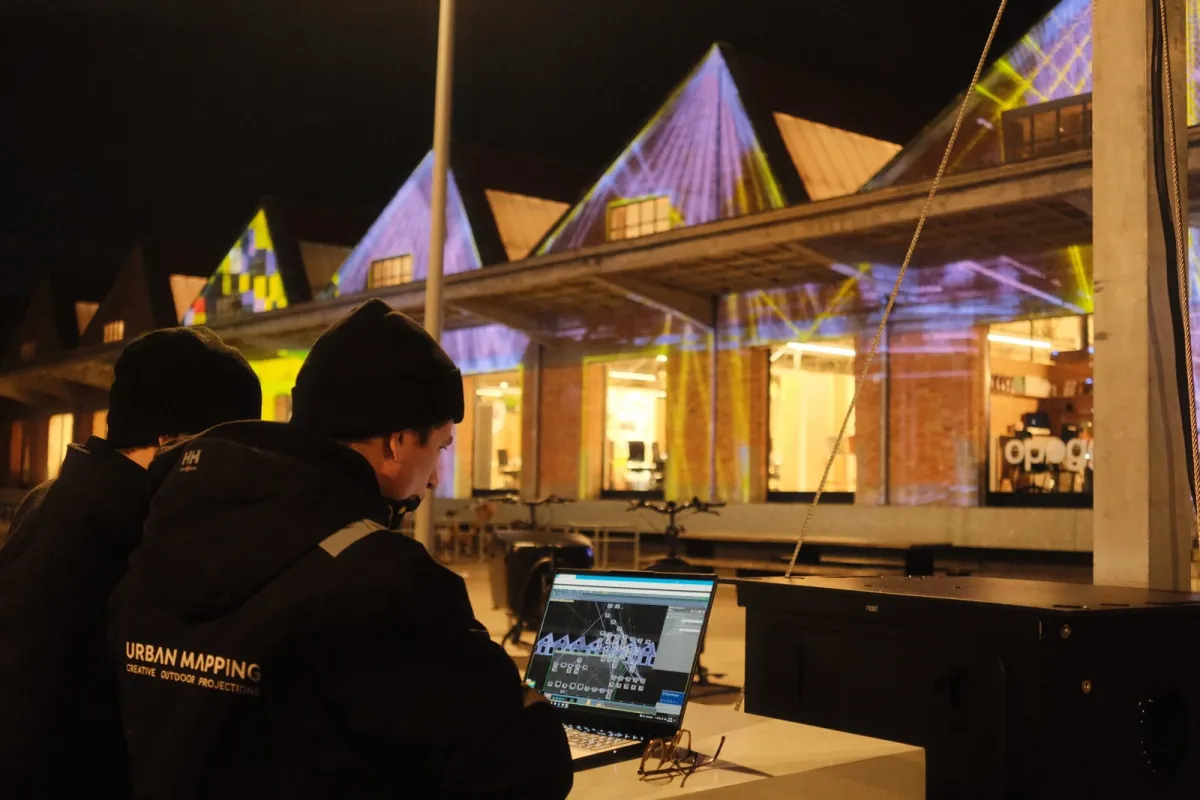
Working with Urban Mapping, a studio that specialises in projection mapping, was a good way to test that in practice. We built the technical base: the software that reads the camera, the system that switches between scenes and a way of working with AI inside TouchDesigner (more on that below). Urban Mapping set up the projection tower and took the project further, reworking and refining the visuals into the six scenes you see now. The final tweaks happened on site, side by side, looking at the real building. What we learned here will go into future cases with other companies and into our classes at Devine.
How the building sees you
It starts with a camera that keeps an eye on the square in front of the building. Software turns what that camera sees into images, which the projectors then put on the facade.
The camera is an Orbbec Femto, a so-called depth camera. An ordinary camera records colour. A depth camera measures how far away everything is, which gives the software a 3D picture of the shapes moving in front of it. That's all the installation needs. It doesn't recognise faces and it doesn't record images in which anyone can be identified. The only thing we keep is an anonymous count of how many people are standing in front of the building, so we can see later how the installation was used.
Getting that camera set up properly took more work than you might expect. It hangs high up and looks down at people at an angle, so from its point of view the ground is tilted and everyone looks squashed. You can correct that by hand, but turning and shifting a 3D image until everything lines up is fiddly, and you have to start over whenever the camera moves. So we built a system that finds the ground by itself and then places a virtual camera that looks straight at people from the front. It recalculates the depth image as if it had been taken from there. Think of straightening a crooked photo, only in three dimensions. It turns a tricky calibration into something you can do quickly on location.
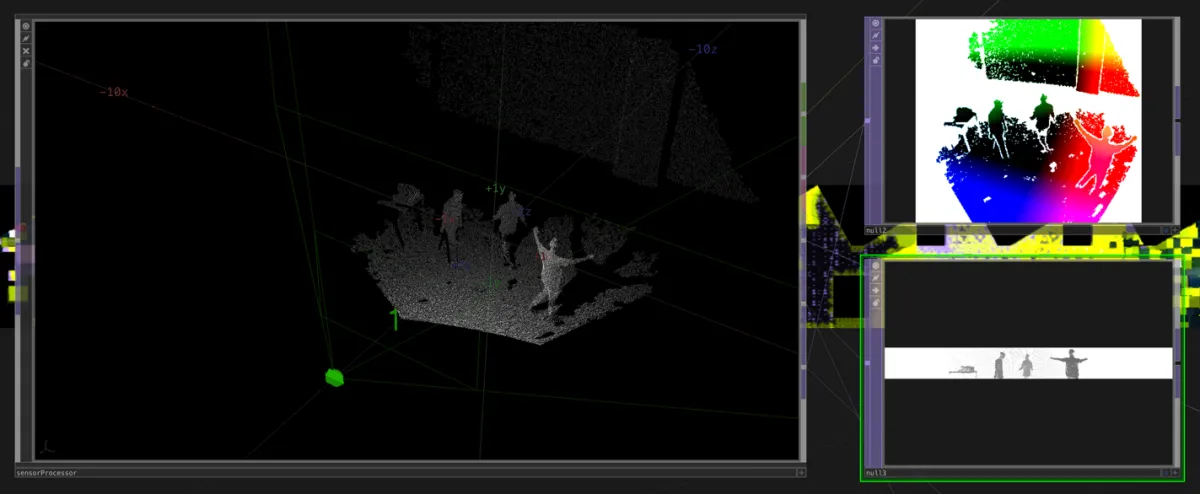
The visuals are made in TouchDesigner, software built for real-time graphics. It works a bit like a game engine. Instead of playing back a video, it calculates every image on the spot, 60 times per second, based on what the camera sees.
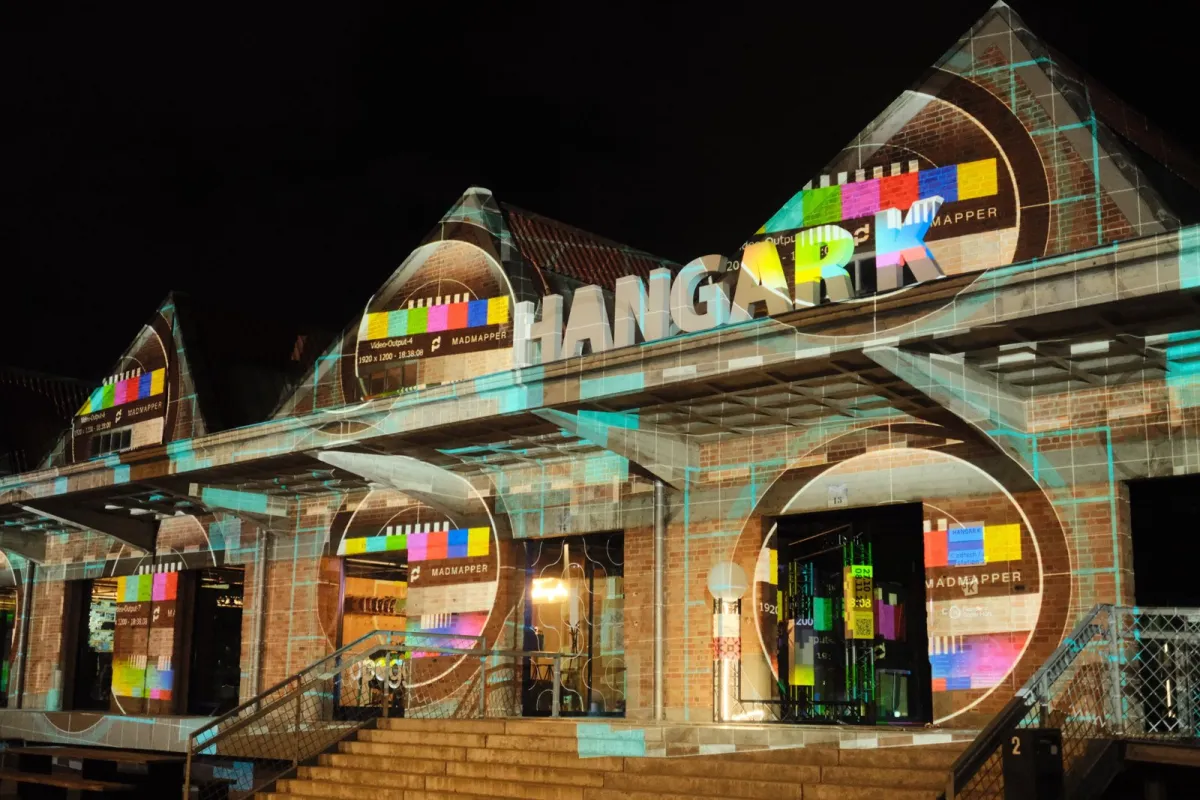
Last in line is MadMapper, which takes care of the projection mapping. A building is full of windows and odd angles, and MadMapper makes sure every pixel lands exactly where it should. The image wraps around the architecture and the windows stay dark.
An AI assistant inside TouchDesigner
We built the camera system the classic way, by hand. Then, in late September, Derivative (the company behind TouchDesigner) released a beta of TDMCP. It's a connector that lets an AI assistant look inside a TouchDesigner project and work in it. The assistant can see how a project is put together, change settings and add new parts. We started using it a week later with Claude Code, Anthropic's AI coding assistant, and it ended up playing a part in much of the scene development, at Howest and at Urban Mapping.
In practice, someone on the team described an idea in plain language. The AI usually came back with a few questions first (what colours to use, or what should happen when nobody is around) and then built a first version directly in TouchDesigner. We looked at it, gave feedback and it adjusted. The creative decisions stayed with people. Because the AI took over a lot of the building work, we had more time to try ideas out and drop the ones that didn't work.
It did need some teaching. Whenever we corrected it, for example by asking it to always add a short explanation to every setting it created, we had it write the correction down as a house rule. Every later session followed those rules, including the sessions Urban Mapping ran on their own computers.
Not everything went to plan. TouchDesigner crashed a few times along the way and we lost some work. And because of the software licence on our development computers, we spent weeks designing for a 90-metre facade while looking at a preview of roughly 1,280 by 139 pixels, about the shape of a bookmark. The real test only came once the projectors were switched on.
Fine-tuning from a phone
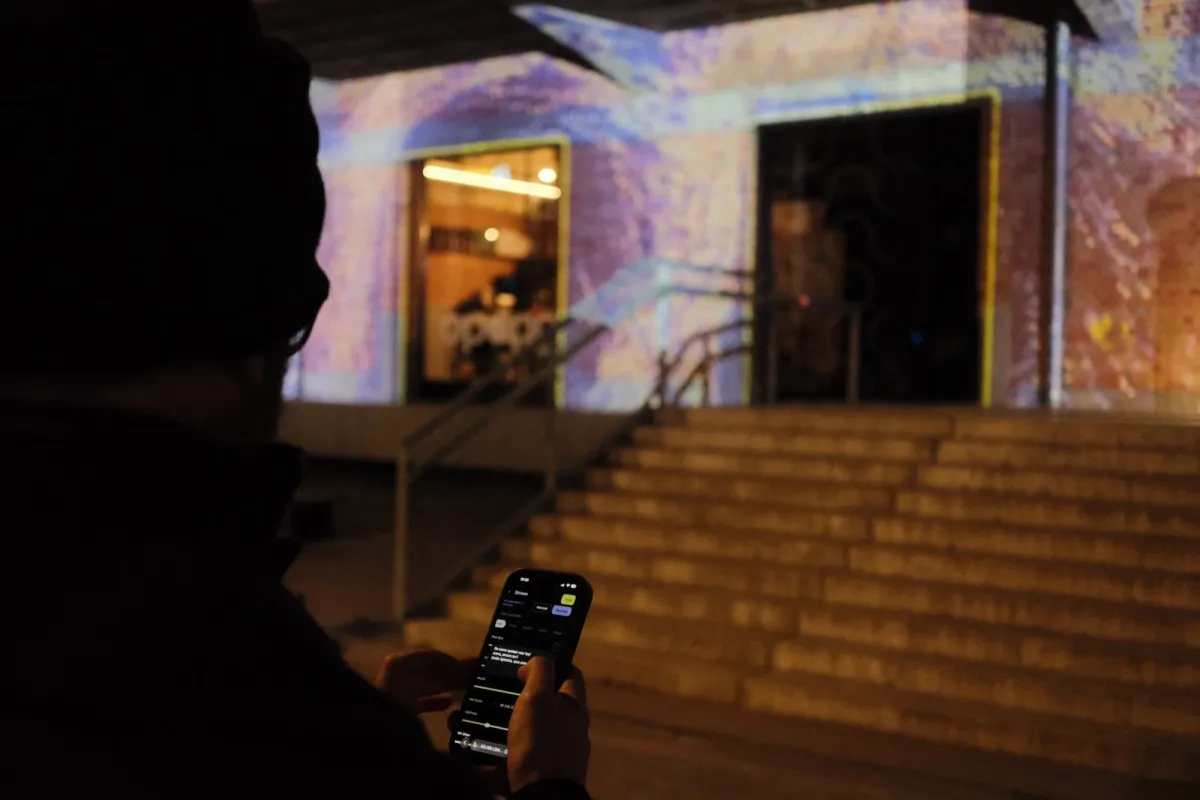
From that moment, most of the work moved outside. Something that looks right on a laptop can look completely different on 90 metres of brick, with street lights around it and people walking past. So we built a small web page that runs on a phone and talks to the installation. With it we could switch scenes, move sliders and try out colours while standing in front of the building, instead of walking back to the computer after every change. If a change didn't work, one tap put it back the way it was.
Because the installation runs by itself every evening, it also got a watchdog: a small program that restarts the software if it ever freezes.
Come and try it
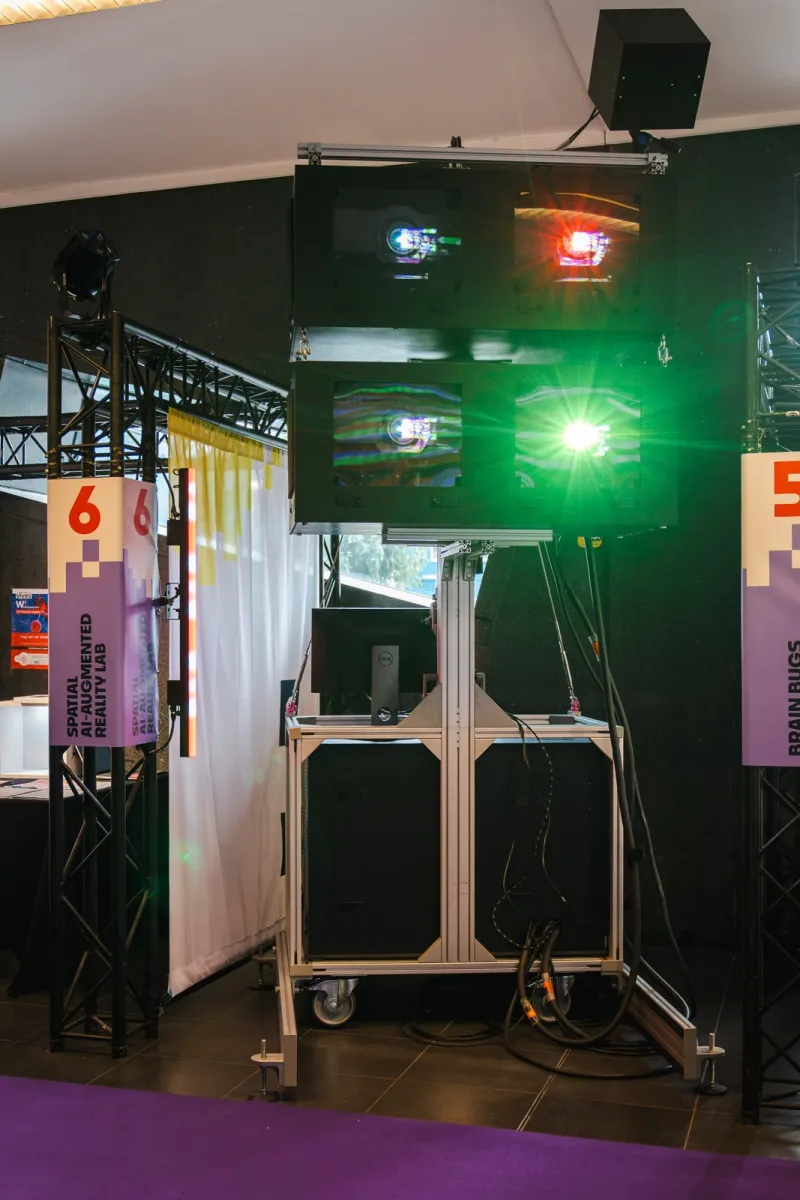
The projection on Hangar K runs every evening until 8 November, from 6 pm until midnight. If you're visiting the FTI expo, look out for our own projection tower. It's part of SAIAR's mobile lab, uses the same depth camera and can be set up in about half an hour. Step in front of it and you'll see yourself turn into an abstract digital figure.
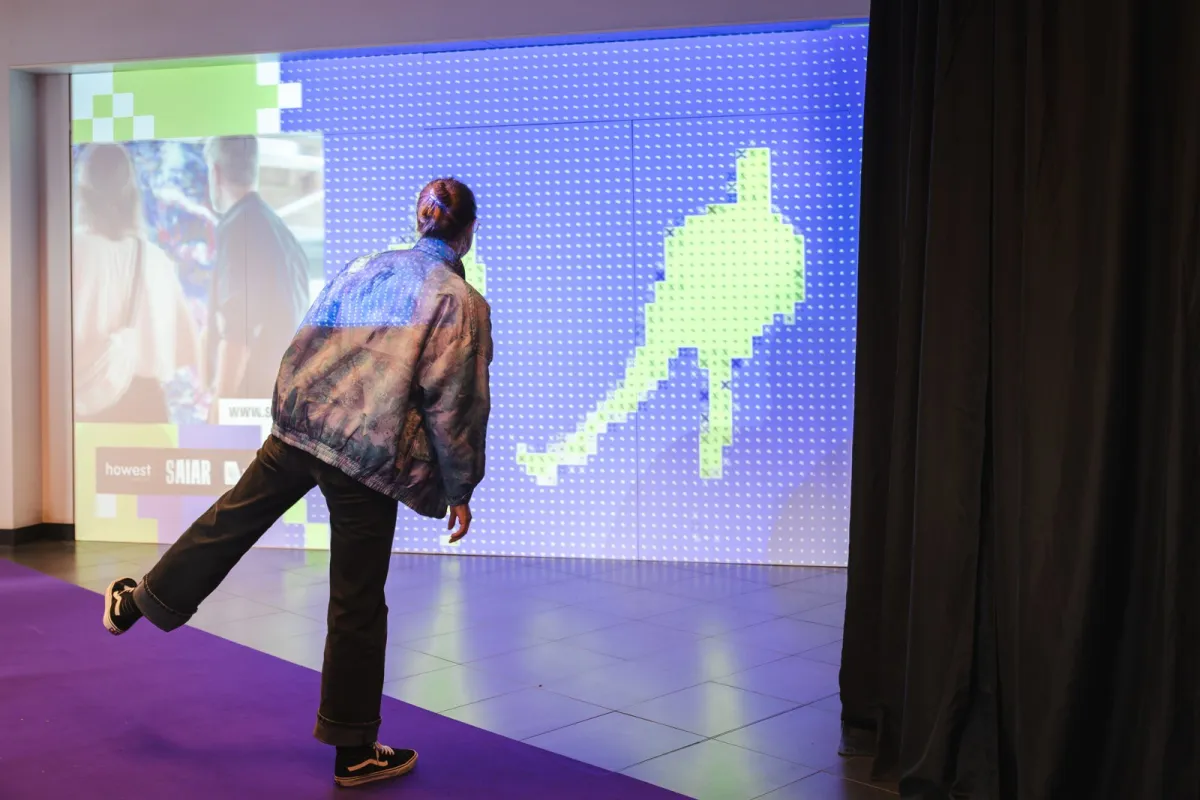
With SAIAR, we want this kind of experience to be within reach of more than just big productions. Interactive projection still takes specialised equipment and know-how, and that's what the lab and its partners want to make more accessible for Flemish SMEs and cultural organisations. If you run a company, a museum or an event and wonder what this could do for you, get in touch through saiar.be.
Send us an email: saiar@devine.be
SAIAR & SAIARlab Infrastructure is part of the research by bachelor programme Digital Design & Development (Devine) at Howest Kortrijk. The project is supported by VLAIO.